

On this page
Guides in this section
IPTV on a smart TV: what works and how to set it up
How to watch IPTV on a smart TV in the UK: check your TV’s platform, choose a player app, log in and get the best picture. Includes Sky Glass and older TVs.
IPTV on a Samsung TV: apps, setup and settings
How to watch IPTV on a Samsung smart TV: the best apps in the Samsung store, step-by-step setup, activation fees explained and fixes for common problems.
IPTV on an LG TV: apps and setup for webOS
How to watch IPTV on an LG smart TV running webOS: IPTV apps in the LG store, step-by-step setup, HDMI Ultra HD Deep Colour, Quick Start+ and fixes for common problems.
Android TV and Google TV boxes for IPTV
Choosing and setting up an Android TV or Google TV box for IPTV: what to look for, Google TV Streamer, NVIDIA Shield, IPTV boxes and the best apps.
IPTV on a Fire TV Stick: the complete UK setup guide
How to set up IPTV on an Amazon Fire TV Stick in the UK: which model to buy, installing a player safely, the best apps and settings for a smoother picture.
IPTV on Apple TV: apps, setup and picture settings
How to watch IPTV on Apple TV 4K: the best IPTV apps on tvOS, step-by-step setup, Match Content settings for a perfect picture, Ethernet tips and AirPlay from iPhone.
IPTV on Android phones and tablets
The best IPTV apps for Android phones and tablets, how to set them up, how to cast to your TV and how to save mobile data when you watch IPTV on the go in the UK.
IPTV on iPhone and iPad: apps and setup
The best IPTV apps for iPhone and iPad in the UK App Store, how to add your login, AirPlay to your TV, picture-in-picture and tips to save mobile data.
IPTV on a Windows PC or Mac
The best IPTV players for Windows and macOS: VLC, Kodi and desktop apps, how to set them up, VLC buffering settings and connecting a laptop to your TV.
Compatibility at a glance
| Device | Where apps come from | Example players | Good to know |
|---|---|---|---|
| Amazon Fire TV | Amazon Appstore; sideloading on Fire OS models | IPTV Smarters, TiviMate, VLC | Cheap and popular; newer Vega OS models only install Appstore apps |
| Android TV and Google TV | Google Play | TiviMate, IPTV Smarters, VLC, Kodi | Widest choice of players; look for Google certification |
| Apple TV | App Store (tvOS) | iPlayTV, IPTVX, UHF, GSE Smart IPTV | Excellent picture and frame-rate matching |
| Samsung TV | Samsung Apps (Tizen) | IBO Player, Smart IPTV, Smarters | Some apps charge a one-off activation fee |
| LG TV | LG Content Store (webOS) | IBO Player, Smart IPTV, Smarters | Similar to Samsung |
| iPhone and iPad | App Store | GSE Smart IPTV, iPlayTV, VLC | AirPlay to your TV |
| Android phones and tablets | Google Play | IPTV Smarters, VLC, Televizo | Cast to a TV with a compatible app |
| Windows PC and Mac | Official websites, Microsoft Store, App Store | VLC, Kodi, IPTV Smarters | Great for testing a login |
| Roku | Roku Channel Store only | Very limited | No sideloading; mirror from a phone or add a stick |
| MAG boxes | Built-in portal | Stalker portal | Needs a portal URL and the box’s MAC address |
| Sky Glass and Sky Stream | Sky’s own apps only | None | Third-party players cannot be installed; use an HDMI stick |
App stores change often, so treat app names as examples and check the store on your own device.
Do you need an IPTV box?
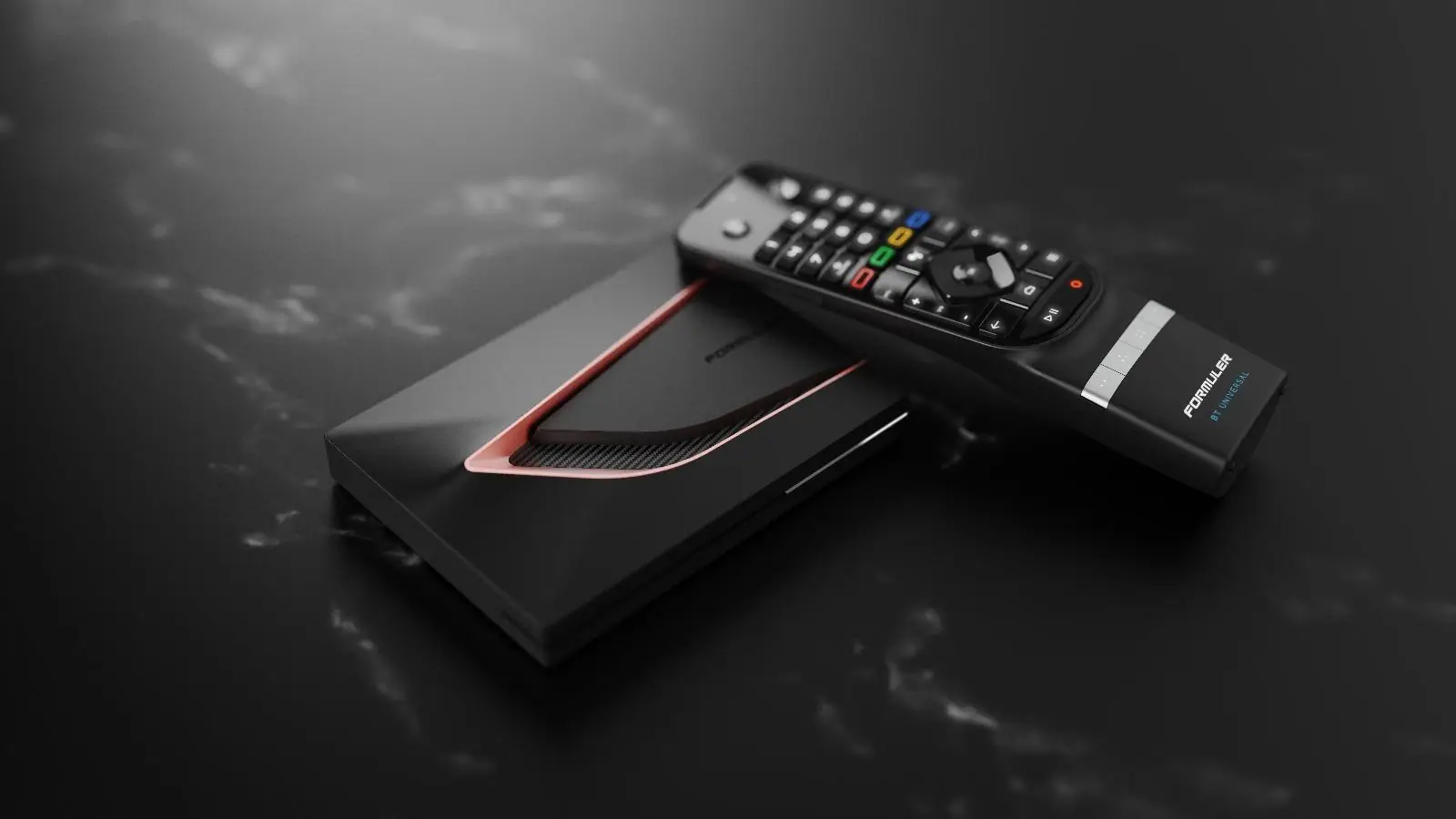
An "IPTV box" is simply a set-top box, usually running Android TV or a version of Android, that plays IPTV apps. Brands such as Formuler build boxes specifically for IPTV, with an Ethernet port and a remote designed for channel surfing. Streaming sticks like the Fire TV Stick do the same job in a smaller package.
You do not need one if your smart TV is recent, has a good player in its app store and runs smoothly. You probably will benefit from one if your TV is more than five or six years old, its apps are slow or missing, or you want the extra features of apps such as TiviMate, which only runs on Android.
What makes a good IPTV device
Enough processing power
At least 2 GB of RAM and a recent chipset keep guides and channel changes quick. Budget boxes often feel fine at first and sluggish after a year of updates.
Modern codec support
HEVC is essential for 4K, and AV1 support is a bonus on new models. See HD vs 4K.
A wired connection option
An Ethernet port, or an official adapter, is the single best upgrade for stability. See Wi-Fi or Ethernet.
Regular updates
Devices from Amazon, Google, Apple, NVIDIA and the major TV makers receive security and app updates for years; unbranded boxes often never do.
Roku, MAG boxes and games consoles
Roku devices and Roku TVs only install apps from the Roku Channel Store and do not allow sideloading, so dedicated IPTV players are rare. The practical options are screen mirroring from a phone, or plugging a Fire TV or Google TV stick into a spare HDMI port.
MAG boxes (made by Infomir) use a "portal" rather than an app: your provider gives you a portal address and authorises the box’s MAC address, printed on the label underneath. Not every service supports portals, so check before buying one.
Xbox and PlayStation consoles have limited IPTV options. The Microsoft Store has offered some IPTV player apps for Xbox, but availability changes; a streaming stick is usually the simpler choice.
Buying a device in the UK
- Buy from established UK retailers so the Consumer Rights Act 2015 protects you: faulty goods can be rejected for a full refund within 30 days.
- Check the device is certified for its platform (for example "Google TV" or "Android TV" branding) so it gets the official app store and updates.
- Prefer models with an Ethernet port, or budget for an official Ethernet adapter.
- For 4K, check HEVC support and a 4K HDMI output. Our article on the best devices for IPTV compares current options.
Frequently asked questions
What is the best device for IPTV?
For most people an Android TV or Google TV device, a Fire TV Stick 4K Max or an Apple TV 4K gives the best mix of app choice, speed and picture quality. Our best devices for IPTV article explains which suits whom.
Can I use IPTV on a Roku?
Only to a very limited extent: Roku does not allow sideloading and IPTV players are rare in its store. Screen mirroring or an inexpensive streaming stick are the usual workarounds.
Are IPTV boxes legal in the UK?
Yes. The hardware is legal. What is illegal is selling or using a box set up to access channels and films without the rights holders’ permission. See dodgy boxes.
Do I need a box if I have a smart TV?
Not necessarily. If your TV’s app store has a good IPTV player and the TV runs it smoothly, you can start there. Read smart TV or streaming stick? to decide.
